

Allowed IPs and Blocked IPs
The Firewall provides a quick way to explicitly allow or block traffic from specific IP addresses or ranges before requests reach your application. Firewall rules contain a single condition—either allow or block an IP. They are fast to implement and are useful when you need to immediately permit trusted sources or deny known malicious ones. All rules with allowed or blocked IPs appear on the Firewall page in the Gcore Customer Portal.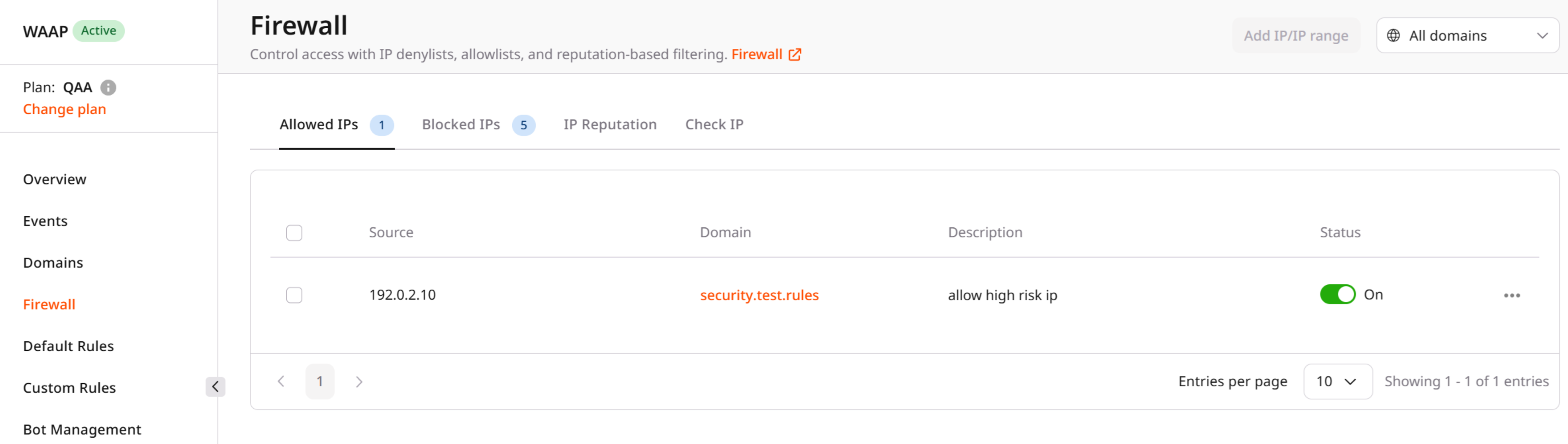
Managing allowed and blocked IPs
You can manage access to your application by maintaining lists of explicitly allowed and blocked IP addresses.- Allowed IPs permit traffic from specific addresses or ranges to reach your domain without additional restrictions or security checks.
- Blocked IPs deny requests from specified addresses or ranges before they reach the application.
Supported address types
Both IPv4 and IPv6 addresses are supported. Rules must be created separately for each address type. In addition to individual IP addresses, you can define IP ranges. A range is specified using the first and last IP addresses in the range. Up to 30 networks can be included in a single range. Ranges are useful when traffic originates from infrastructure that uses multiple adjacent IP addresses, such as corporate networks, hosting providers, or partner services. Subnet masks and CIDR notation are not supported in WAAP Firewall rules. If you need to manage access using subnet-based policies, use CDN security policies, which provide additional capabilities for managing access control.Typical use cases
Allow and block lists are commonly used to:- Allow access from trusted internal infrastructure
- Permit traffic from partner networks or monitoring systems
- Block known malicious IP addresses
- Quickly mitigate attacks originating from specific IP ranges
Additional access control options
In addition to WAAP IP allow and block lists, Gcore provides additional access control capabilities.CDN security policies
You can control access to your content using CDN-level security policies that filter requests based on:- Referrer
- Country
- IP subnets
- User agent
Custom Rules
For advanced scenarios, you can create custom rules that define detailed traffic filtering logic. Custom Rules allow you to:- Combine multiple request attributes
- Apply different actions (allow, block, challenge, etc.)
- Create conditional security policies tailored to your application